In this article
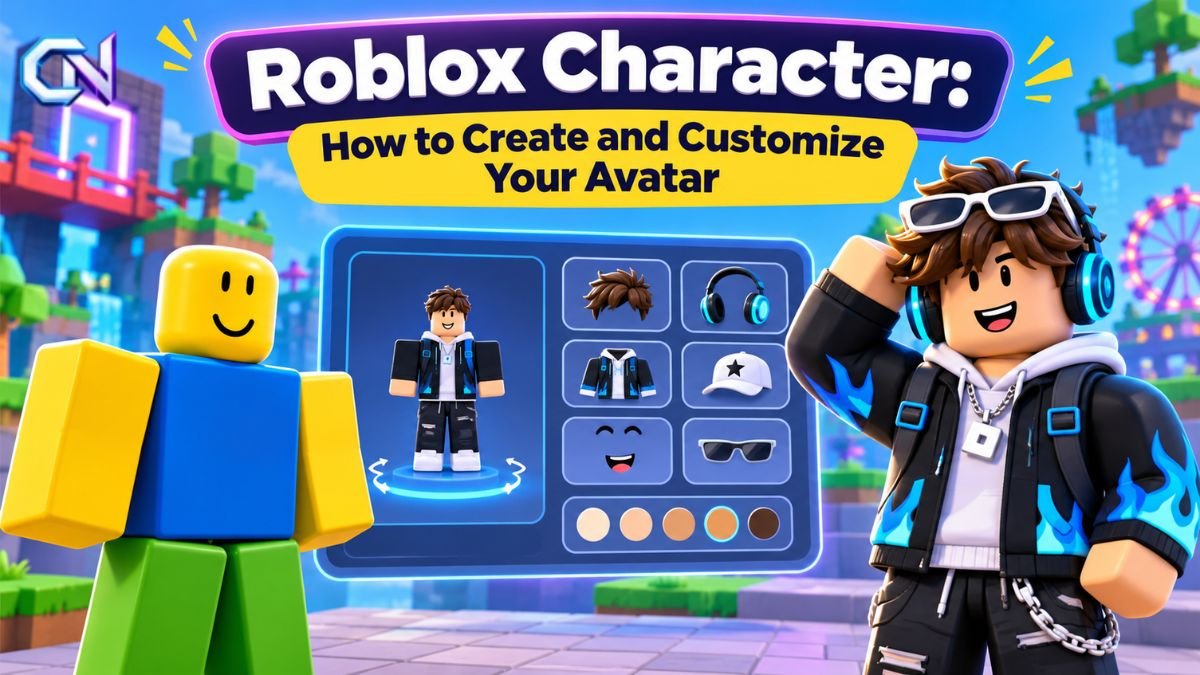
A Roblox character is the digital figure that represents a player on Roblox. Also called an avatar, it can be customized with different body shapes, hairstyles, faces, clothing, accessories, and animations. Players can change their appearance through the Avatar Editor and find additional items in the Roblox Marketplace.
Whether you prefer a traditional blocky appearance or a more detailed 3D avatar, Roblox provides several customization options. Understanding how these features work makes it easier to create a distinctive look, change outfits, and manage the items you own.
This guide explains how Roblox avatars work, how to customize them on different devices, and what separates classic character styles from modern designs.
What Is a Roblox Character?
A Roblox character is a controllable digital figure used in experiences across the Roblox platform. Your personal character is known as your avatar, which serves as your visual identity when interacting with other players and exploring virtual environments.
Unlike games that offer only a fixed collection of playable characters, Roblox allows players to personalize their avatars using different combinations of body parts, clothing, and accessories.
The avatar system includes several important elements:
- Body: Determines the character’s shape, proportions, and physical appearance.
- Head and face: Controls the appearance of the character’s head and facial features.
- Clothing: Includes classic shirts and pants as well as three-dimensional layered clothing.
- Accessories: Includes items such as hats, hair, and other decorative objects.
- Animations: Determine how an avatar moves or performs gestures and expressions.
These elements work together to create the character seen by other players.
Roblox also allows experience developers to create their own playable characters and non-player characters (NPCs). An NPC is a character controlled by the game rather than directly by a player.
How to Customize Your Roblox Character
The Avatar Editor is the main tool for changing your character’s appearance. It allows you to equip items you already own, remove unwanted accessories, and adjust different aspects of your avatar.
Changing Your Avatar on a Computer
To customize your character using a web browser:
- Sign in to your Roblox account.
- Select Avatar from the navigation menu.
- Open the category containing the item you want to change, such as hair, hats, or faces.
- Browse the items available in your inventory.
- Select an item’s icon to equip it.
- To remove an equipped item, select its highlighted icon again.
You can use the same editor to combine different clothing and accessories.
For more advanced customization, Roblox provides an Advanced option for equipping additional accessories using their asset IDs. An asset ID is the numerical identifier assigned to a particular Roblox item.
For further details, see Roblox’s official browser avatar customization guide.
Changing Your Avatar on Mobile
Roblox also supports avatar customization through its mobile application.
The mobile interface may display a tab called Me or Avatar, depending on the version available in your region.
On a phone, you can open an item in your inventory and use the Wear This control to equip or remove it.
To change your avatar’s skin color:
- Open the Roblox application and sign in.
- Navigate to the Me or Avatar area.
- Select Customize, followed by Body.
- Open the Skin section.
- Choose your preferred color.
On tablets, Roblox directs users to the Me section through the More menu, where they can customize their avatars in a similar way to the browser interface.
The official Roblox mobile avatar customization instructions explain how to manage items and appearance settings on supported mobile devices.
Understanding Roblox Character Body Types: R6 and R15
Two important terms associated with Roblox character models are R6 and R15.
They describe different character rigs. A rig is the underlying structure that allows a digital character to move and animate.
R6: The Classic Blocky Style
R6 is a basic Roblox character rig built around six body parts.
Its structure includes a head, torso, two arms, and two legs. This creates the familiar block-based appearance associated with classic Roblox avatars.
Because its structure is relatively simple, R6 is commonly associated with traditional character movements and animations.
R15: More Detailed Character Movement
R15 uses a more complex structure consisting of 15 body parts.
Instead of treating each arm and leg as a single section, an R15 character separates limbs into additional parts, allowing more detailed movement.
Roblox’s modern avatar specifications use R15 structures to support advanced body designs, animations, and customization features.
The platform’s development tools also support additional joints for more sophisticated character movement.
Why Character Types Matter
The type of character rig supported by an experience can influence how your avatar appears and moves.
Roblox developers can configure experiences to use particular avatar types. They can also adjust character proportions, animations, clothing, and accessories through avatar settings.
Consequently, an avatar may behave differently in one experience than it does in another.
Clothing and Accessories: What Can You Change?
Clothing and accessories provide some of the most noticeable ways to personalize an avatar.
Roblox supports several categories of wearable items, each using different technical methods.
Classic Clothing
Classic clothing consists of two-dimensional images applied to the surface of a character.
These items include traditional T-shirts, shirts, and pants.
Classic clothing is particularly associated with block-style avatars, although compatibility depends on the body design. Some modern user-created avatar bodies do not support classic clothing.
Layered Clothing
Layered clothing uses three-dimensional assets designed to stretch and fit around an avatar’s body.
Examples include jackets, dresses, and other garments that follow the character’s shape.
Unlike traditional clothing images, layered items use additional technical structures to fit over character bodies and other clothing.
This enables more detailed clothing designs, although their appearance depends on the avatar and the items being combined.
Accessories and Facial Customization
Roblox also supports rigid accessories, which attach to designated positions on the character’s body.
Hats and other decorative objects are examples of this category.
Some avatar designs also support animated facial expressions and cosmetic effects, offering additional ways to personalize the character.
The official Roblox Creator Hub avatar documentation explains the technical differences between character bodies, animations, accessories, and layered clothing.
How to Find Free and Paid Roblox Avatars
The Roblox Marketplace is the platform’s main destination for finding avatar clothing, accessories, and body items.
Players can search for products by name or browse different item categories.
Marketplace filters help narrow the selection using criteria such as price, creator, and availability.
Are Free Characters Available?
Yes. Roblox provides free avatar options alongside items that require Robux, its virtual currency.
Official Roblox support documentation identifies free body packages, including the Roblox Boy, Roblox Girl, Man, and Woman packages.
Players can also customize their avatars using items they already own without purchasing additional accessories.
For anyone beginning with a basic character, exploring available free items is a practical starting point.
Buying Avatar Items With Robux
Some clothing, accessories, and character bodies are sold for Robux.
Before purchasing an item, open its Marketplace details page to review its description, type, price, and availability.
Roblox also offers a Try On feature for many avatar items. This allows players to preview how an item looks on their character before making a purchase.
Purchases generally cannot be refunded simply because a player changes their mind. Checking the item preview and purchase confirmation is therefore important.
Marketplace prices and item availability can change, so the amount displayed on an item’s current listing should be checked before buying.
Creating a Distinctive Avatar Without Starting From Scratch
Creating a Roblox character does not require designing a new 3D model.
The Avatar Editor lets players combine existing items, including body parts from different avatar purchases.
For example, a player can select a body design, change the head or hairstyle, equip clothing, and add accessories.
Because these elements are separate, changing one part does not necessarily require replacing the entire appearance.
Skin color can also be customized through the Avatar Editor.
On the website, Roblox provides a Skin Tone option under Head & Body. Players can select a color for the entire character or use Advanced settings to assign different colors to individual body parts.
These controls offer flexibility for players who want to adjust their appearance without creating or purchasing a complete new character.
Why Does Your Avatar Look Different in Some Games?
Your personal Roblox avatar is designed to work across experiences, but developers have control over how characters appear within their own games.
Some experiences display your avatar with its usual clothing and accessories. Others apply custom character settings.
For example, developers can configure an experience to:
- Use particular character rigs or animation styles.
- Adjust avatar height or body proportions.
- Replace selected clothing or accessories.
- Give players custom character appearances.
These settings help developers maintain a consistent visual style or accommodate particular gameplay requirements.
As a result, a change in appearance inside one experience does not necessarily mean that the items in your account have been removed.
What to Do if Your Character Is Not Updating
Occasionally, an avatar preview may not immediately display an equipped item correctly.
Roblox’s browser customization instructions recommend using the Redraw option beneath the avatar preview when recently added or removed items are not showing as expected.
It is also worth checking whether an item remains selected in the Avatar Editor.
Another distinction is between a display issue and a character appearance restriction. Roblox can reset avatars that violate its Community Standards.
When such a reset occurs, Roblox provides an in-app notification. Players can review the message and use the Avatar Editor to select a compliant appearance.
Can You Make Your Own Roblox Character Items?
Roblox provides creation tools for developers and artists who want to produce custom character assets.
These tools are different from the standard Avatar Editor.
Roblox Studio supports the development of character bodies, clothing, accessories, and animations. Creators can also use external 3D modeling applications to prepare custom assets.
For example, the Avatar Setup tool can help process a 3D model by adding technical components required for animation and wearable accessories.
Creating items for publication on the Marketplace involves additional technical specifications, eligibility requirements, and platform policies.
For everyday players, the Avatar Editor remains the more accessible option because it works directly with available avatar items.
Frequently Asked Questions
Can you change your Roblox avatar after creating an account?
Yes. You can return to the Avatar Editor to change your character’s appearance, equip different items, or adjust available body settings.
Is it necessary to spend Robux to customize a character?
No. Roblox offers free avatar packages and allows users to customize their appearance with items already in their inventory. Some additional customization items require Robux.
Why can’t I wear certain clothing in every Roblox experience?
Experiences can use different avatar settings, and some character bodies do not support every clothing format. Developers may also override selected clothing or accessory settings.
Can Roblox characters have animated faces?
Yes. Roblox supports facial animation technology that enables compatible avatar heads to display different expressions.
Is a Roblox avatar the same as an NPC?
No. A player’s avatar is generally the figure representing that player, while an NPC is controlled by the experience. Roblox development tools support both character types.
A Roblox character can therefore range from a simple blocky figure to a detailed, animated avatar. The Avatar Editor provides the everyday customization tools, while Roblox Studio gives creators more extensive control over character design and behavior.
Also read
Gakuran Codes Roblox: Rewards and How to Redeem Them
Jujutsu Infinite Codes: October 2026 Rewards and Redemption Guide