In this article
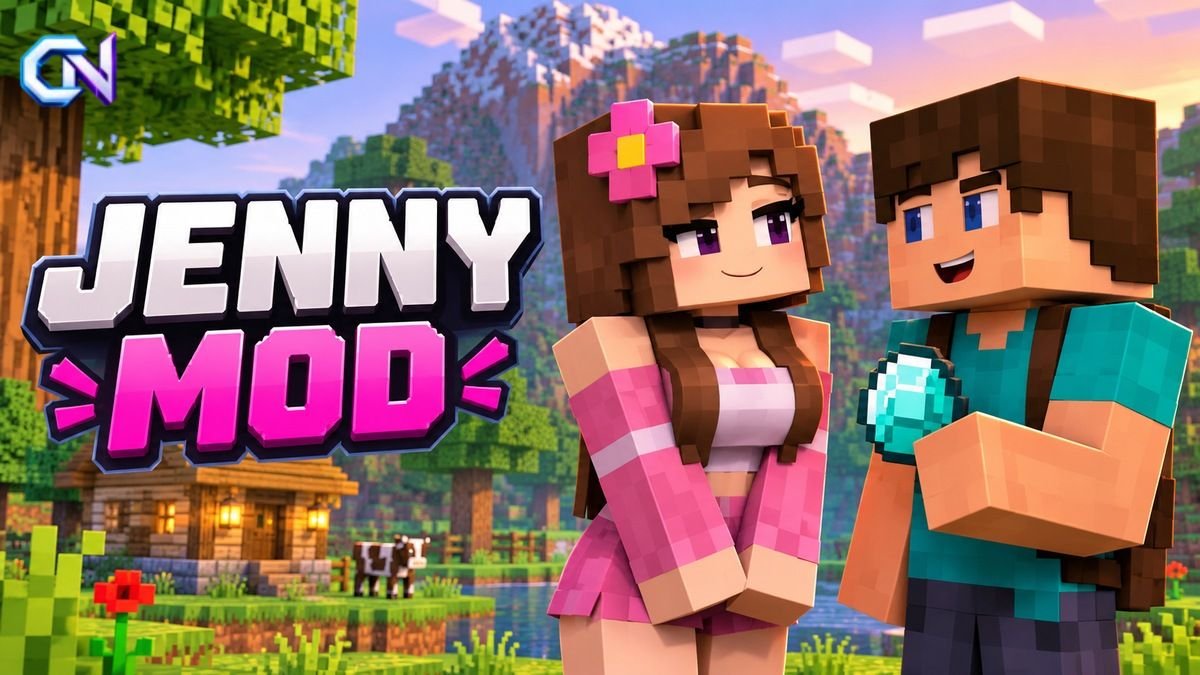
Jenny Mod Minecraft is an unofficial, adult-oriented modification that adds interactive characters, companion features and relationship-based gameplay to Minecraft. Its central character, Jenny, can respond to players, receive gifts and perform custom animations.
Unlike traditional Minecraft modifications focused on exploration, building or combat, Jenny Mod includes mature content intended for adults. It is not developed or officially endorsed by Mojang Studios or Microsoft.
The mod has attracted attention among players interested in custom characters, but understanding its compatibility, installation requirements and potential download risks is important.
What Is Jenny Mod in Minecraft?
Jenny Mod is a third-party modification that introduces an interactive non-player character (NPC) named Jenny.
NPCs are characters controlled by the game rather than human players. While standard Minecraft includes villagers and wandering traders, Jenny Mod focuses on interactions associated with a virtual companion.
The gaming publication Esports.gg explains Jenny Mod’s gameplay and adult-oriented features, including its gift system, companion behaviour and additional characters.
The modification includes several notable features:
- Interactive characters: Players can communicate and interact with Jenny and other characters.
- Gift system: Items such as diamonds, emeralds and gold can be used during character interactions.
- Companion behaviour: Certain characters can accompany players during adventures.
- Custom animations: The modification introduces animations outside standard Minecraft gameplay.
- Mature interactions: Some character interactions contain sexually explicit material intended for adults.
Available characters and interactions can differ between versions and independently distributed adaptations.
What Makes Jenny Mod Different?
Traditional Minecraft modifications often introduce additional blocks, equipment, creatures or gameplay systems.
Jenny Mod concentrates primarily on character interaction and companionship.
Instead of expanding Minecraft’s building mechanics or introducing an entirely new survival environment, it allows players to interact with custom NPCs.
The most significant difference is its adult-oriented content.
Although the modification uses Minecraft’s familiar block-based visual style, its mature interactions are not suitable for children.
Jenny Mod is also independent of Minecraft’s official development and distribution channels.
Jenny Mod Minecraft: Java and Bedrock Compatibility
Minecraft has two major editions with different modification systems: Java Edition and Bedrock Edition.
Understanding the difference is essential because a modification designed for one edition cannot automatically run on the other.
| Feature | Java Edition | Bedrock Edition |
|---|---|---|
| Platforms | Windows, macOS and Linux | Windows, Android, iOS and consoles |
| Modification system | Mod loaders such as Minecraft Forge | Resource packs and behaviour packs |
| Common package format | .jar | .mcpack or .mcaddon |
| Jenny Mod availability | Community-distributed Java modification | Separate community adaptations |
| Installation approach | Install through a compatible mod loader | Import compatible add-on packages |
Java Edition
The commonly distributed Java version of Jenny Mod targets Minecraft 1.12.2 and uses Minecraft Forge.
Forge is a mod-loading framework that enables compatible modifications to run in Minecraft Java Edition.
Players using other Minecraft versions should verify compatibility with the specific modification before installation.
Bedrock Edition
Separate community adaptations using the Jenny Mod name have appeared for Bedrock Edition.
These versions use Minecraft’s add-on system rather than the Java Edition’s Forge framework.
However, the functionality of Bedrock adaptations may differ from the Java version.
Character behaviour, animations and other features depend on the particular package being installed.
How to Install Jenny Mod Minecraft on Java Edition
Installing a Java modification typically requires a compatible Minecraft version, a supported mod loader and the corresponding modification file.
The following steps describe the standard Forge installation procedure.
Step 1: Open Minecraft Java Edition
Launch Minecraft and select Java Edition.
Open the Installations section in the Minecraft Launcher.
For a Jenny Mod build designed for Minecraft 1.12.2, prepare an installation using that game version.
Keeping modifications in a separate installation can help avoid conflicts with existing Minecraft worlds and settings.
Step 2: Download Minecraft Forge
Minecraft Forge provides the software framework required by many Java Edition modifications.
Players using Minecraft 1.12.2 can find compatible installers on the official Minecraft Forge 1.12.2 download page.
Choose the appropriate installer and follow the installation instructions.
After installing Forge, select its corresponding profile in the Minecraft Launcher.
Step 3: Check the Jenny Mod file
Forge modifications for Java Edition commonly use the .jar file format.
Before installing a third-party modification, verify that its stated Minecraft version and mod-loader requirements match your installation.
Be careful when choosing a download source. A website using the Jenny Mod name does not necessarily represent the original developer.
Avoid unexpected executable installers, misleading download buttons or requests for unnecessary personal information.
Step 4: Locate the Minecraft mods folder
On Windows, the standard Minecraft Java directory can be accessed by entering:
%appdata%\.minecraft
Find the folder named mods.
If it does not exist, a properly configured Forge installation may create it when launched.
For Minecraft installations using a custom game directory, locate the corresponding mods folder.
Step 5: Add the modification
Place the compatible .jar file inside the mods folder.
Make sure the file is intended for the installed Minecraft and Forge versions.
Step 6: Launch Minecraft
Open the Minecraft Launcher and select the matching Forge profile.
Start Minecraft and check whether the modification loads.
If the game crashes or the modification does not appear, review version compatibility and check for conflicts with other installed mods.
These installation steps describe Forge’s general process and do not guarantee that a particular Jenny Mod download is authentic or safe.
Can You Install Jenny Mod on Android or iPhone?
Minecraft on Android and iPhone uses Bedrock Edition technology.
Consequently, Java Edition modifications cannot be installed directly using the Forge method.
Bedrock add-ons typically use .mcpack or .mcaddon package formats.
For a compatible add-on, the usual process involves importing its package into Minecraft and enabling the required resource or behaviour packs in the settings of a world.
However, a Jenny Mod package advertised for mobile devices should be evaluated independently.
Not every downloadable package using the same name offers identical features, and compatibility with a particular mobile Minecraft version is not guaranteed.
Players should also distinguish Minecraft add-on packages from unrelated mobile applications with similar names.
Is Jenny Mod Safe to Download?
Download safety deserves particular attention when installing third-party Minecraft modifications.
Files distributed under the Jenny Mod name can be found on websites and file-sharing services outside Minecraft’s official ecosystem.
Minecraft’s own support documentation explains that independent modifications are not created, reviewed or endorsed by Mojang Studios.
The official Minecraft Help guide to Java Edition mods also warns that modifications can cause technical problems and are not officially supported.
Before installing any unofficial modification, players should follow several precautions.
- Verify the download source. Avoid trusting a website simply because it claims to provide an official release.
- Check the required version. Confirm that the Minecraft edition, game version and mod loader are compatible.
- Avoid suspicious installers. Be cautious of unexpected executable files, browser extensions or unnecessary permissions.
- Use security software. Scan downloaded files while recognising that no scanner guarantees complete protection.
- Back up saved worlds. Preserve important Minecraft worlds before making changes.
- Use a separate installation. Testing modifications independently can help identify compatibility problems.
These precautions can reduce risks, but they cannot establish that every downloadable Jenny Mod file is trustworthy.
Is Jenny Mod Appropriate for Children?
Jenny Mod is intended for mature audiences and is not suitable for children.
Although it uses Minecraft’s familiar visual environment, the modification introduces sexual interactions that are not part of the standard game.
Parents and guardians should recognise that unofficial Minecraft modifications can include content beyond the game’s usual family-friendly experience.
For younger players, age-appropriate Minecraft Marketplace content and carefully reviewed community modifications offer more suitable ways to explore additional gameplay features.
Common Jenny Mod Installation Problems
Minecraft crashes after installation
A crash can occur when the game version, mod loader or installed modifications are incompatible.
Check that the required Minecraft and Forge versions match the file being used.
Testing the modification in a separate installation may help identify conflicts.
Jenny Mod does not appear in the game
First, confirm that the modification file is located in the correct mods folder.
Then verify that Minecraft launches using the intended Forge profile rather than an unmodified installation.
The Java modification does not work on mobile
A Java Forge .jar modification cannot be imported directly into Minecraft Bedrock Edition.
Mobile players need a compatible Bedrock add-on package rather than a Java mod file.
Minecraft behaves unexpectedly
Minecraft modifications can alter normal gameplay or introduce technical problems.
If difficulties begin after installing a modification, disabling it can help determine whether it is involved.
However, removing a modification may not reverse changes already made to a world. Maintaining backups is important.
Frequently Asked Questions
Is Jenny Mod an official Minecraft modification?
No. Jenny Mod is an independent modification and is not officially developed or endorsed by Mojang Studios or Microsoft.
Does Jenny Mod work on Minecraft 1.21?
Compatibility depends on the particular release. The commonly distributed Java version targets Minecraft 1.12.2, so compatibility with Minecraft 1.21 should not be assumed.
Is Jenny Mod available through Minecraft Marketplace?
The adult-oriented Jenny Mod discussed here is not an official Minecraft Marketplace release. It is distributed through third-party channels.
Can Jenny Mod be removed from Minecraft?
For a standard Java Forge installation, the modification can generally be disabled by removing its .jar file from the active mods folder.
Backing up worlds before installation is advisable because deleting the file may not reverse changes to saved gameplay data.
Is Jenny Mod free?
There is no reliably established universal price covering every package distributed under the Jenny Mod name. Players should independently verify any website requesting payment and avoid assuming that a paid download is more legitimate or secure.