In this article
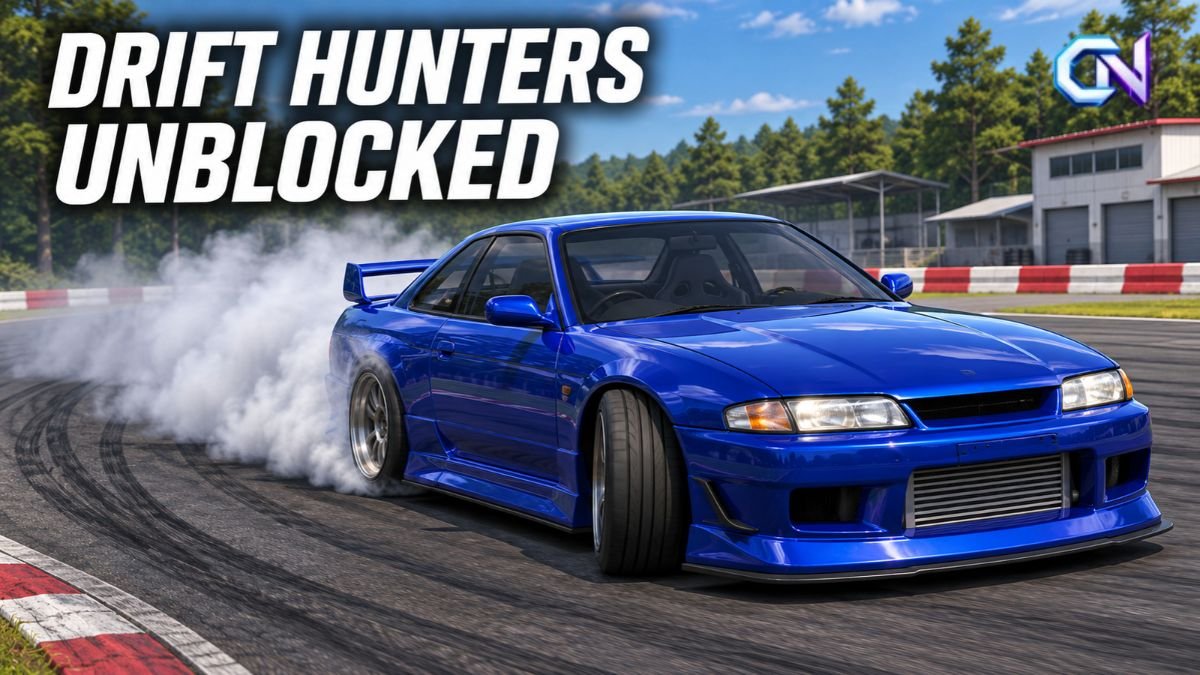
To play Drift Hunters unblocked, you can start with the free desktop-browser game on CrazyGames. It runs online without a separate PC installation. However, whether that page opens at school, college or work depends on the restrictions applied to your browser, device or network. An “unblocked” label cannot guarantee access.
The game itself focuses on earning points through drifting: holding a controlled sideways slide, then using your earnings to buy cars and improve them. Getting access and learning to drive are separate tasks, so it helps to know both the available playing options and the basic controls.
Where to play Drift Hunters unblocked
Another direct starting point is Ilya Kaminetsky’s Drift Hunters page on itch.io, which includes a browser player and identifies the creator. The developer lists HTML5 and Windows versions, with an optional PC download separate from browser play.
For the browser route, open the game page and launch its embedded player. Once it loads, select a car and track. You do not need to choose the downloadable Windows version to use the online player.
Keep the version in mind when following guides. The original game, Drift Hunters MAX and the current mobile app do not have identical feature lists. In particular, mobile-store descriptions of traffic racing and campaign events should not be treated as a description of the classic browser game.
How website restrictions affect access
The important question is whether your particular setup permits the website. Google’s guidance on allowing and blocking websites explains that administrators can restrict access in managed Chrome browsers and ChromeOS devices. They can block selected addresses, or block everything except an approved list.
Those rules can apply through a managed browser or account, rather than only through the internet connection. Consequently, the word “unblocked” in a page title tells you nothing conclusive about how your organisation’s settings will treat that page.
If you see an administrator’s block message, ask the relevant IT team whether the site is permitted. A browser update addresses a different problem from an access policy.
Also distinguish a page that is blocked from a page that opens but displays a blank game window. The latter needs troubleshooting; it does not, by itself, establish that a school or workplace has blocked the game.
The keyboard controls
The developer documents these controls for the original game:
| Action | Key |
|---|---|
| Drive and steer | WASD or arrow keys |
| Handbrake | Space |
| Change camera | C |
| Shift up | Left Shift |
| Shift down | Left Ctrl |
Drift Hunters offers automatic and manual gearboxes. With automatic selected, you can concentrate on steering, acceleration and the handbrake; the gear-change keys are relevant when using manual transmission.
The handbrake and normal driving controls have different jobs. The arrow keys or WASD handle acceleration, braking and steering, while Space operates the handbrake. Use C to change the viewpoint if you want a different camera position.
How drifting earns cars and upgrades
The original browser game offers 26 customisable cars and 10 locations. Its progression centres on drift points: sustained slides increase your score, and longer drifts raise the points multiplier. Earnings go towards additional cars and garage improvements.
For a first session, focus on controlling the slide before chasing a more expensive car. CrazyGames recommends cautious acceleration while approaching corners during a drift and practising on maps with space for uninterrupted sliding. Its guide highlights Forest and Emashi for their long corners.
Smooth steering matters, too. Drifted’s playing advice recommends gentle directional inputs and balancing the car with the throttle—the accelerator—during a drift. On longer roads, transitioning between left and right slides can help maintain a drift combination.
More power also comes with a limitation: Drifted warns that an overpowered setup can make the car harder to control. If keeping a slide going is the immediate problem, simply increasing engine performance is not a guaranteed solution.
Understanding the garage
The garage gives you several ways to change a car:
- Performance upgrades: brakes, weight, gearbox, turbo and engine.
- Tuning: adjustments to settings such as camber, wheel offset, brake balance, ride height and brake pressure.
- Appearance: body colour, rim designs and rim colour.
These options serve different purposes. Buying an upgrade changes the car’s performance specification; tuning adjusts the available settings; visual customisation changes its appearance.
Some tuning terms sound more complicated than they are. Camber refers to the wheels’ angle, while ride height changes how high the car sits. Brake balance adjusts the distribution of braking pressure between the front and rear.
Turbo pressure is another adjustment to approach carefully. Drifted’s tuning guide says lowering boost can make the car more predictable for beginners. Treat that as a handling adjustment, rather than assuming every setting needs to be at its maximum. The same guide describes brake pressure and brake balance as choices to experiment with according to driving preference.
Desktop browsers and mobile apps are different options
For anyone looking for Drift Hunters unblocked on a phone, the desktop distinction matters. CrazyGames labels its browser version as desktop-only, while the developer also identifies Android and iOS versions. A mobile app’s availability does not establish that the desktop browser build supports touch controls.
The current mobile title is Drift Hunters & Traffic Racing. Its Google Play description includes highway traffic racing, a night-time open world and campaign progression. The Android listing also discloses advertising and in-app purchases.
Apple’s UK and US listings both show the app as free with in-app purchases. That means a free download should not be read as a promise that every optional purchase is included. Check the relevant regional store for current compatibility and purchase information.
When following a tutorial, match its controls and feature information to the version you have opened.
What to try if the game will not load
If the page opens but its game player stays blank, check the browser before assuming you need another version.
Google’s Chrome troubleshooting guidance covers games that fail to load, display a grey box or cause the browser to freeze. Its documented checks include:
- Update Chrome and reload the page. Google notes that some games need the latest browser version.
- Check JavaScript settings. Some browser media requires JavaScript to run.
- Check for extension conflicts. On a device you control, test extensions individually to identify a problem.
- Consider stored browser data carefully. Google includes cache and cookies in its troubleshooting steps, but warns that deleting browsing data removes some website settings.
Use those checks for a loading fault. If the browser explicitly reports an organisational restriction, the useful next step is to resolve that access question with the administrator.